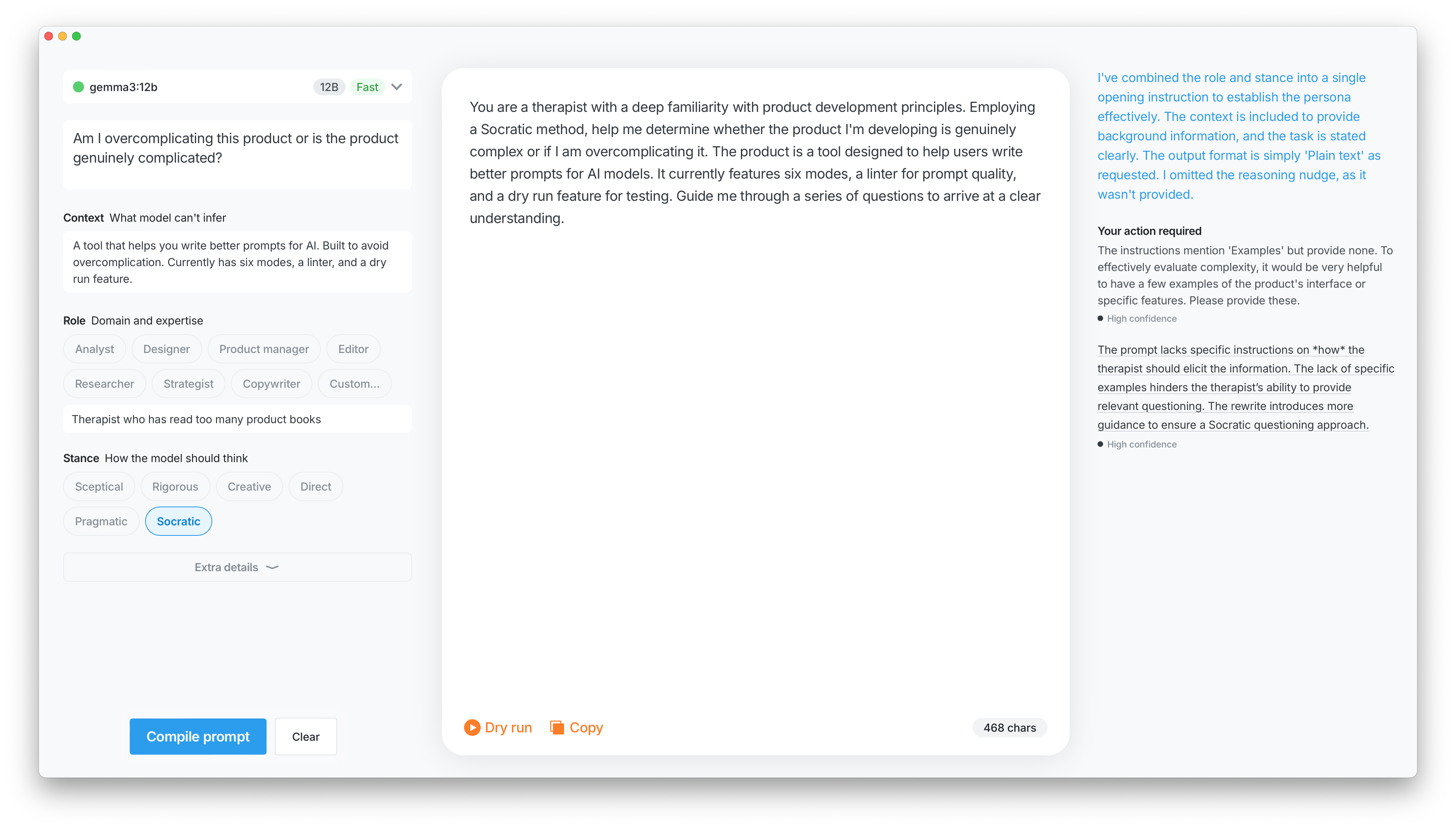
Scratching my own itch. Every mediocre AI response traced back to a prompt I hadn't bothered to think through. The model was fine. The problem was me typing half-formed thoughts and expecting good output. Omo is a structured way to stop doing that.
A form walks you through the inputs, then compiles them into a prompt. A linter runs in parallel and catches the obvious problems: ambiguity, contradictions, missing context. Each issue is a one-click fix. Dry Run sends the compiled prompt to a local model so you know whether it actually works before taking it anywhere else.
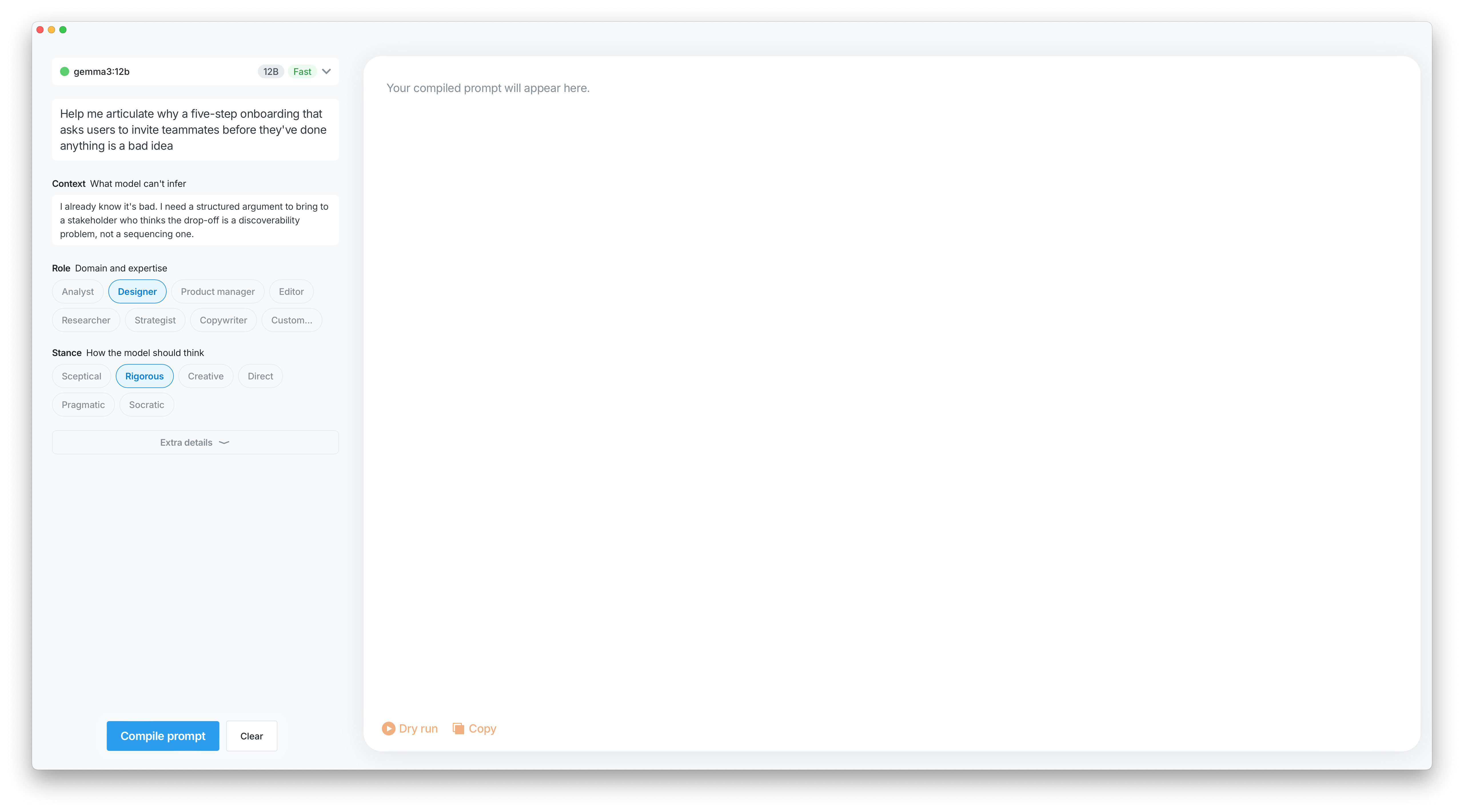
Filled form, prompt not compiled All fields in, nothing sent yet. The thinking part is done; the compiling isn't.
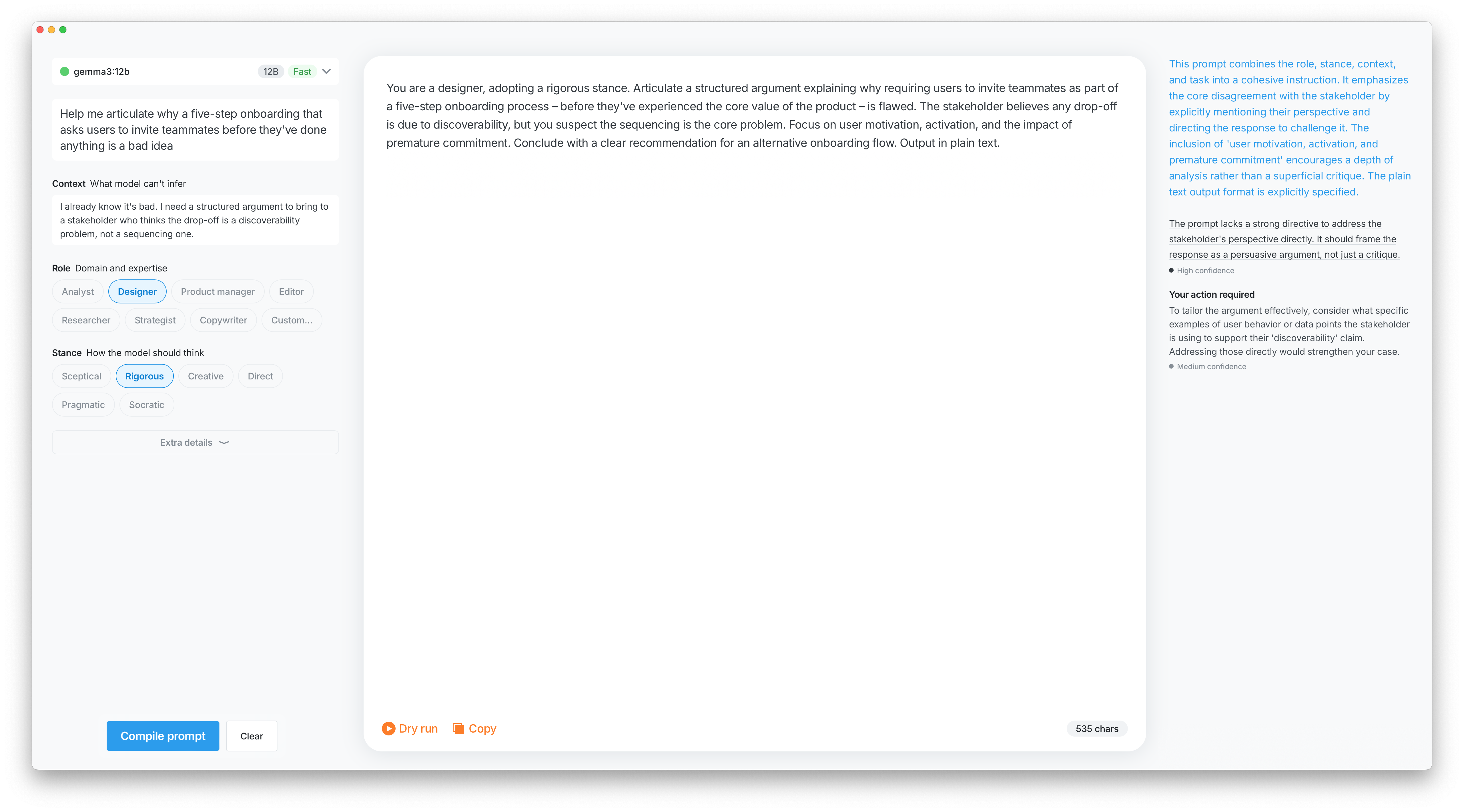
Prompt compiled Structured input turned into something actually usable. One click, no manual assembly.
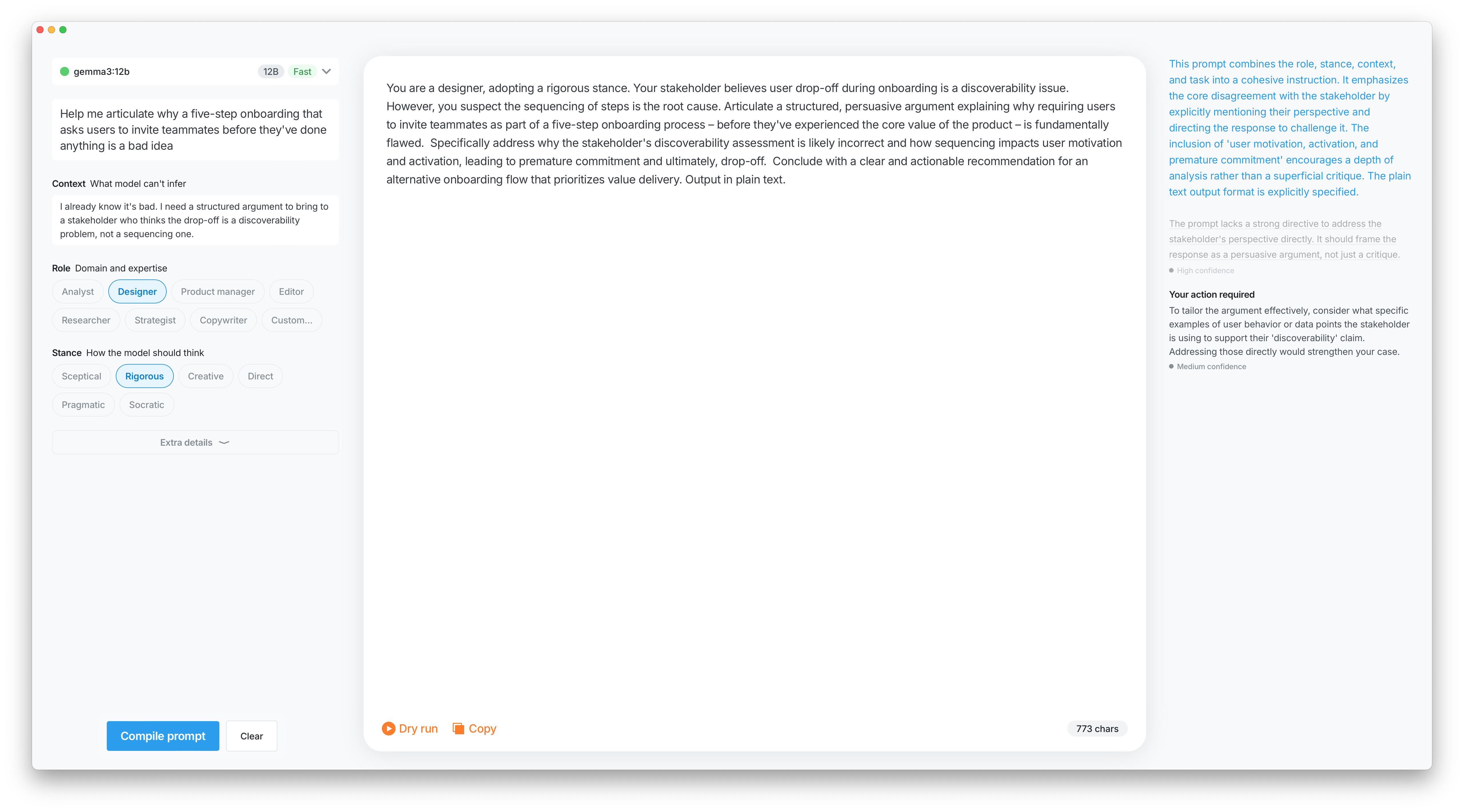
Linter recommendation pressed Caught an issue, fixed in one click.
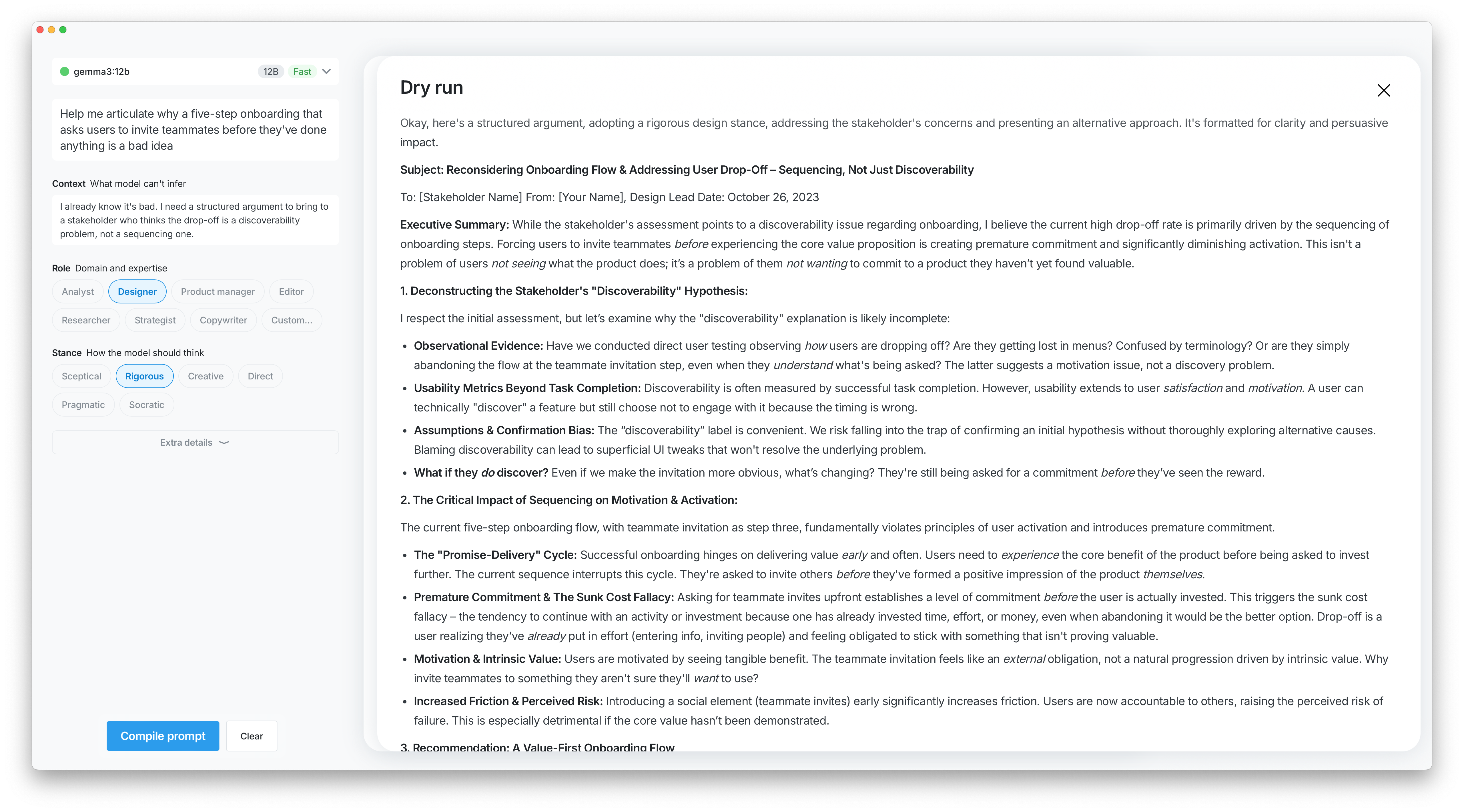
Dry Run Sent straight to a local model to see if it holds up. Cheaper to find out here than after the fact.
The PRD came first, but not because the process demanded it. Better framing going in means better output coming out — and Claude needs something to work with before it can do anything useful. Writing the spec was about setting up the problem properly, not documenting it. The Ollama integration followed the same logic: a hypothesis worth framing properly before building — could a local model make this genuinely useful without API keys or a subscription? It can. It's just slower than you want when the feedback loop is the whole point.
PRD
Omo — Product Requirements
Overview
Omo is a personal tool for writing better AI prompts from the start. Instead of a blank input, it guides you through a structured set of fields, lints the result in real time, and compiles everything into a clean, internally consistent prompt. The goal is fewer follow-up messages, not more features.
Key Decisions
Compiler, not generator.
The tool doesn't write prompts for you. It takes structured input and produces a prompt that feels inevitable rather than assembled.
Three-panel interface.
Form on the left, compiled output in the middle, linting recommendations on the right. Panels communicate in real time.
Real-time linting.
A first-class feature, not an afterthought. Flags ambiguity, redundancy, conflicting instructions, and missing fields. Every issue is a one-click fix.
Dry Run.
Compiles and sends the prompt to a local model without leaving the tool. A fast way to pressure-test before taking it anywhere else.
Soft validation only.
Fields are flagged if empty or inconsistent, but nothing blocks you. Warnings, not walls.
Local-first.
Designed to work with local models via Ollama, with GPT and Claude as the initial targets.
What a Good Prompt Includes
Task instruction — the only required field
Role / persona — sets tone and assumed expertise (defaults to Analyst)
Context — what the model can't infer on its own
Inputs / examples — concrete data beats abstract description
Constraints — what not to do is often more useful than restating what you want
Output format — length, structure, language
Reasoning nudge — for complex tasks, step-by-step thinking improves accuracy
MVP Scope
Form / Output / Recommendations panels
Local model via Ollama + model selection
Actionable linting
Copy prompt
Success Criteria
Fewer follow-up prompts needed
Higher satisfaction with first responses
Users come away with a better mental model of what makes a prompt work
Note: the product evolved through prototyping — some decisions here were revised once the UI was built and tested.
Stance began as part of Role: pick a persona, tone comes along for the ride. That held up until I ran a Sceptical product manager against the PRD — the output was different enough from a neutral one that collapsing it back into Role felt wrong. Six options made it through.
① Sceptical pushes back on the premise rather than helping you execute it. ② Rigorous is the precision-obsessed version: not adversarial, just unwilling to accept vagueness. ③ Creative goes for the non-obvious answer. ④ Direct removes the hedging and reflexive qualifications that make most model output feel watered down. ⑤ Pragmatic drops theoretical tangents and focuses on what can actually be done. ⑥ Socratic responds with questions instead of answers — niche, but useful when the problem isn't properly formed yet.
The prototype started in Claude: functional, Ollama-connected, and visually characterless. Figma came next, then changes went back through the Figma integration directly. That loop is as clunky as it sounds: you end up writing things like "the dry run panel should feel like it's sitting slightly behind the output" and hoping the interpretation lands. It mostly works. It occasionally doesn't.
The tool does what it was supposed to. Prompts are better, follow-ups are fewer. Ollama works but the latency is noticeable, and when the feedback loop is the point, noticeable matters. The next version probably moves to a bring-your-own-key model to get Claude in properly.
The extensions worth building: Custom Instructions per project so you stop retyping the same context every session, and Skills for prompt shapes you reach for repeatedly. Neither is complicated. Both require deciding this is worth maintaining, which is a different question entirely.